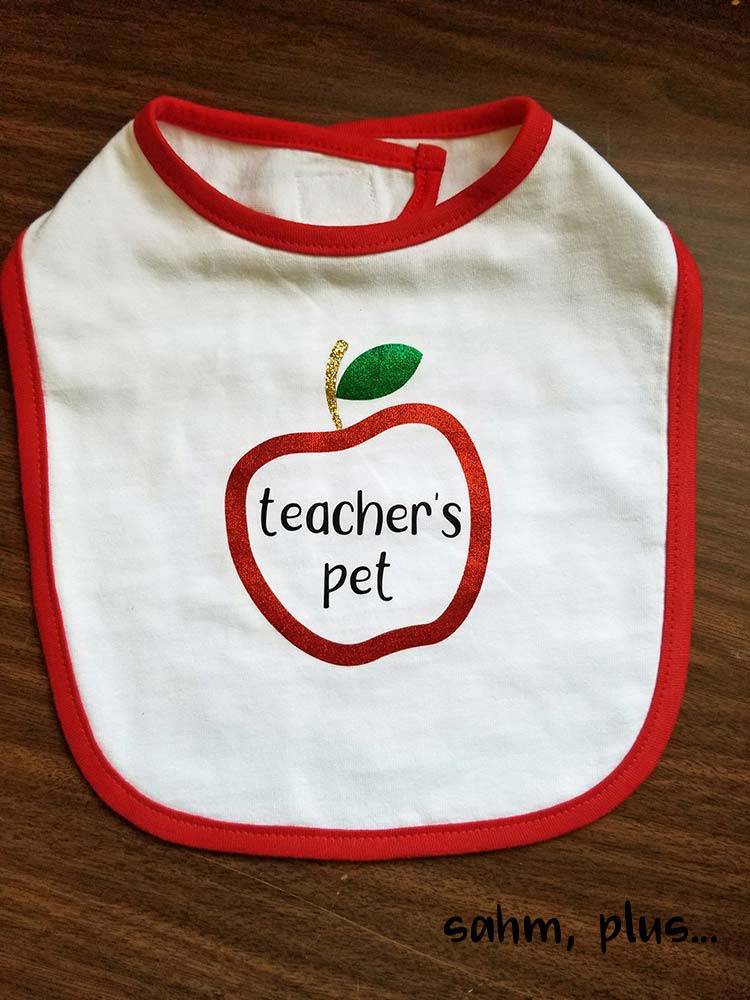
I needed a baby gift for teacher going on maternity leave. Instead of running to the store, I created something custom with my Cricut and heat press. How cute is this craft?
At the beginning of S’s First Grade year, we found out we were assigned to one of the best First Grade teachers in her school. I couldn’t have been more pleased as I learned that her teacher expected good behavior and placed high value on reading. She was the perfect teacher for S.
And then, we found out she was expecting her first baby and would be out on Maternity Leave toward the end of the school year. That was a bummer!
The teacher was going to be missing out on Teacher Appreciation week, so the room mom put together a special week in March to shower the teacher with our appreciation. But, it was a baby-themed week.
The second and third day of the week were going to be baby onesie and baby bib days, respectively.
Now, I’m not a big spender AND I’d just recently been practicing with my new Cricut and heat press. So, I decided I was going to make something for her. I needed the practice and I thought it would be nice to give her something custom.
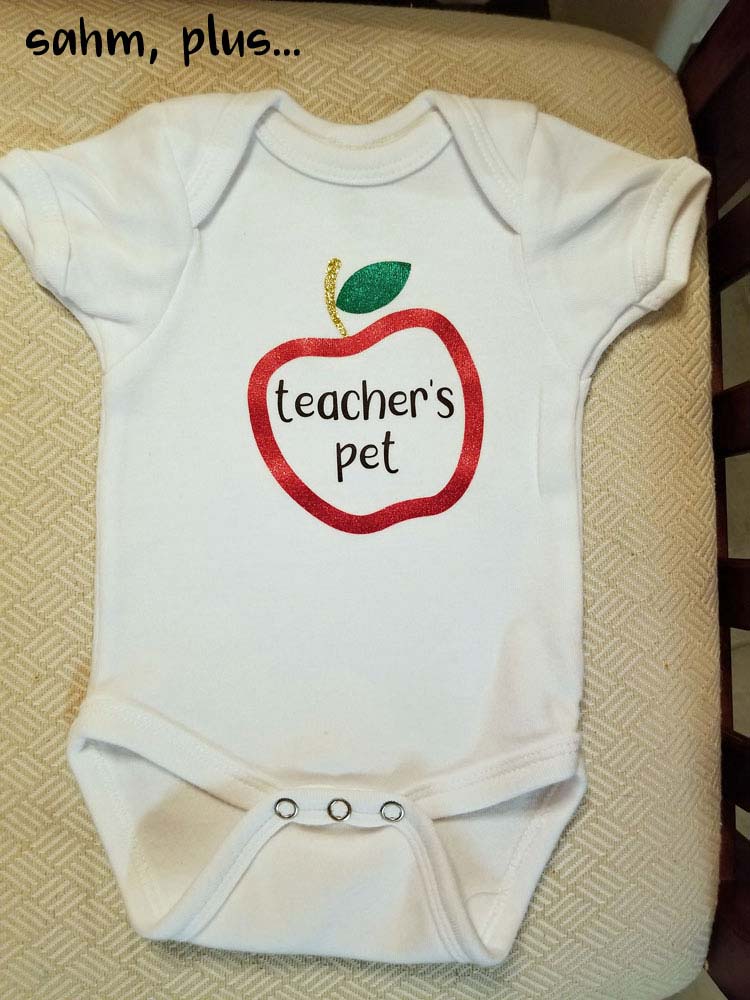
I’m going to show you how I made this apple-themed baby onesie which used to be my top seller when I sold on Etsy!!
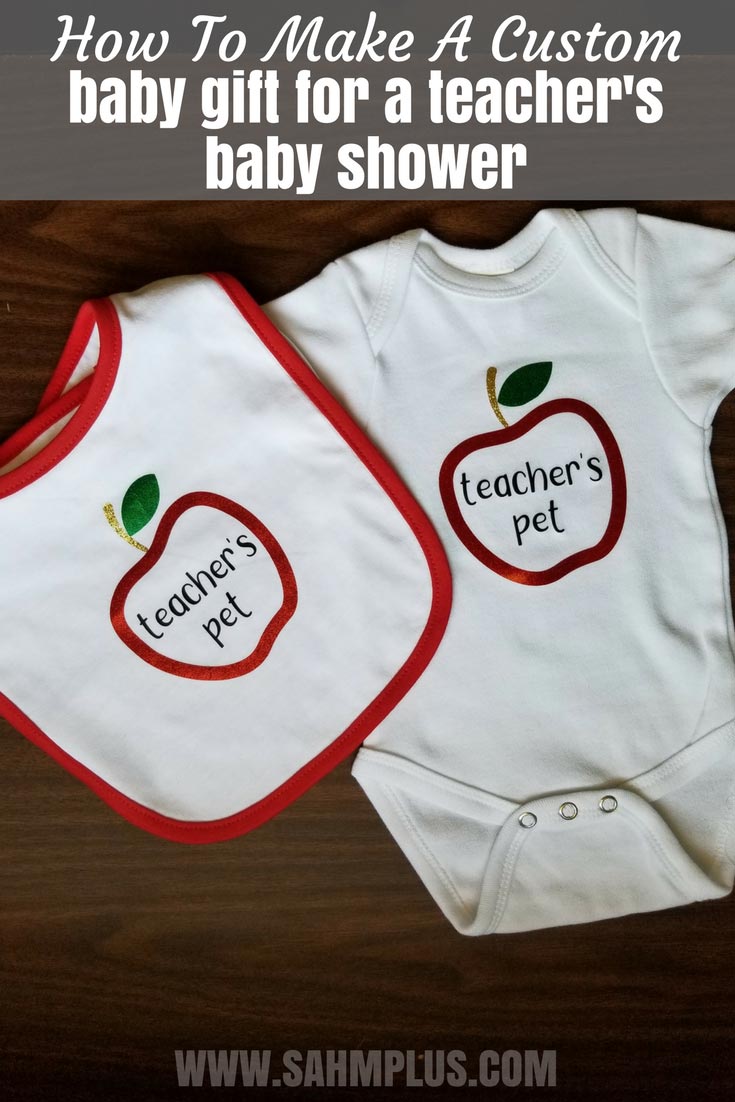
Our Custom Baby Gift for Teacher Going on Maternity Leave
Now, I kind of threw this together because I hadn’t been keeping up with my emails and only saw this on a Friday … just three days before the special week began. I had to run to my local Hobby Lobby to get supplies AND everything was a first run test. So, I’m really grateful this gift turned out well on the first try.
Supplies for the Apple Themed baby gift for teacher going on maternity leave:
Apple Monogram SVG
Adorable Apple SVG for monogramming (try one of these)
White Baby Bodysuit
No products found.
White Baby Bib
No products found.
Siser EasyWeed Heat Transfer Vinyl in Black
No products found.
Siser Red Glitter Heat Transfer Vinyl
No products found.
Green Glitter HTV
No products found.
Gold Glitter HTV
No products found.
Cutting Machine
This is the machine I work with!
No products found.
Heat Press
This was the machine I bought to get started with my crafting and worked well for my start up Etsy business.
No products found.
How I Created It Our Teacher’s Baby Gift
I downloaded an adorable apple monogram SVG and placed it into the Cricut Design Space, using the baby bodysuit template (found under fashion). I had to choose the size of the bodysuit I bought, then got to work.
I first placed the chosen apple SVG on the template and made it fit the size of the bodysuit to my liking.
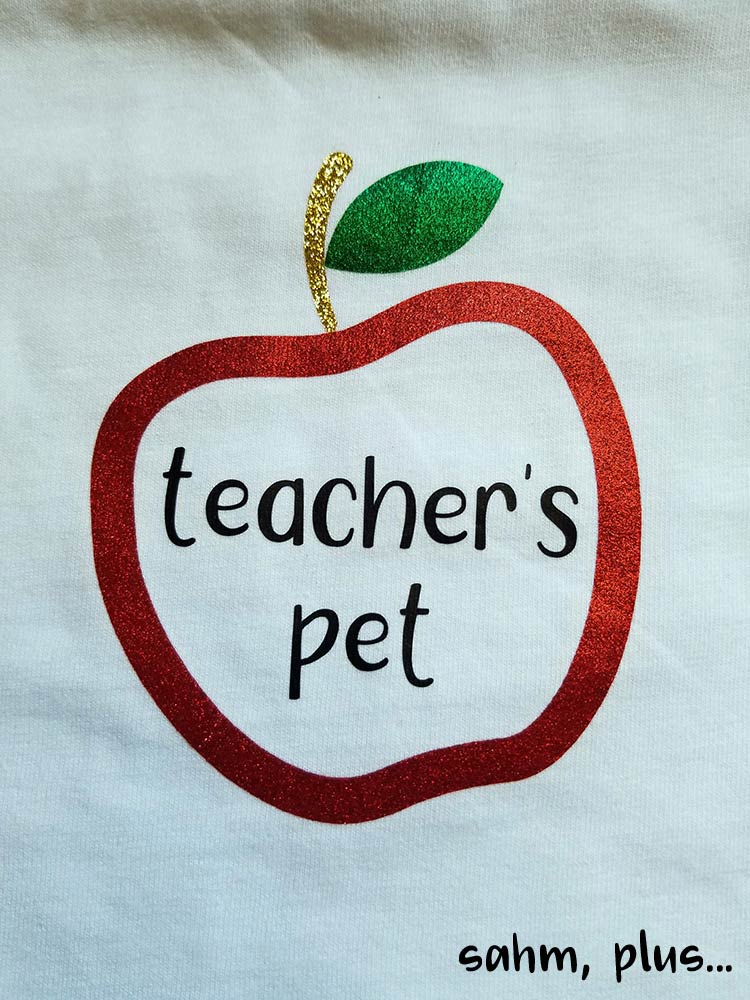
Then, I decided on a font and placed my text. I chose a font I’d downloaded with a commercial license, so that I could use it on projects to sell, too. My text said “teacher’s pet”. Finally, I sized the font to fit within the apple and attached the text together so that it would cut out as typed.
When sending your project through your cutter, make sure to select “mirror” so that the words will be facing correctly to heat press onto the bodysuit. This is standard for any materials you plan to transfer to an article of clothing.
For my particular apple, the stem was included in the red layer as well as having a separate layer for the brown (or the gold I used). Because glitter HTV shouldn’t be pressed on top of one another I, very cautiously, snipped the red stem off the apple. Then I butted the gold stem up to the red apple. Afterward, I laid the green leaf adjacent to the gold stem.
I also didn’t feel like pressing multiple layers, so I cut the heat transfer tape really close to the edges where other parts met so that I could press everything at one time.
For my machine, I find it best to use the heat setting at 320 and pressed for roughly 20 seconds.
My current vinyl calls for a cold peel, so I had to wait for it to cool. Be sure to check the instructions for your particular vinyl.
Afterward, I placed parchment paper directly onto the exposed HTV and pressed again at the same heat setting for another 20 seconds. This allowed me to begin seeing the fibers of the garment in the vinyl.
Step-by-Step Instructions: Creating a Custom Baby Gift with Cricut & Heat Press
1. Design and Cut:
- Download an SVG file of your choice (e.g., apple monogram).
- Open Cricut Design Space and upload the SVG.
- Select “Fashion” category and choose a template that matches your bodysuit size.
- Resize the SVG to fit the bodysuit template as desired.
- Choose a font (ensure commercial license for resale) and add your text.
- Size the font to fit within your design and attach the text for cohesive cutting.
- Important: Select “mirror image” before cutting the heat transfer vinyl for proper heat press application.
2. Prepare the Heat Transfer Vinyl:
- Consult your specific vinyl’s instructions for recommended settings.
- Depending on your design, separate layers of glitter HTV that shouldn’t overlap.
- Weed any excess vinyl around your design, removing unwanted material.
3. Heat Press Application:
- Preheat your heat press to the recommended temperature for your vinyl (typically around 320°F).
- Place the weeded design onto your bodysuit, ensuring proper positioning.
- Follow your heat press instructions for pressing time and pressure.
- Allow the vinyl to cool completely before peeling the carrier sheet (cold peel vinyl) as instructed.
4. Final Touches (Optional):
- For enhanced durability, consider placing parchment paper over the design and heat pressing again with the recommended settings.
Tips:
- Double-check your vinyl instructions for specific temperature and pressing time.
- Consider practicing on scrap fabric before applying to your bodysuit.
By following these steps, you can create a unique and personalized baby bodysuit and bib using your Cricut and heat press!

3 comments
What a cute gift! I bet she loved it!
Great article. Keep Posting.
Are you planning for the Newborn Baby photography for your baby in Delhi, NCR and Gurgaon?
MyBaby247 has a professional photographer that create cherished memories photo for you. For more information Visit Us! Kids Photography in Gurgaon
May your life be filled with love and peace with your newest arrival!
This gift is way too cute! Teacher’s Pet is right. Gorg!
Comments are closed.